
Panelo (Clever Board)
Desktop Widgets & Dashboard


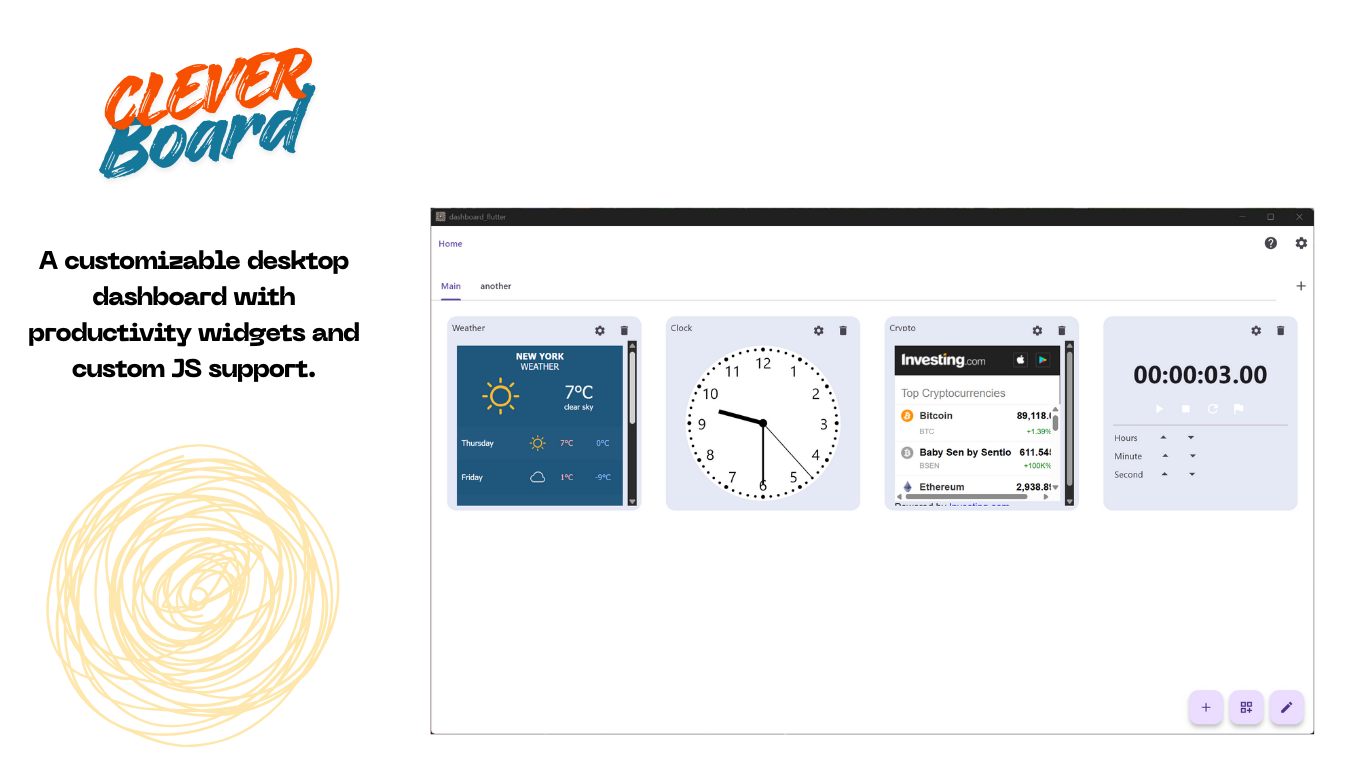
Panelo (Clever Board) is a desktop app and/or custom new tab extension that lets users create and display custom widgets using HTML / JS. This makes it easy to stay organized and productive by displaying the information you need most in a single, easy-to-access location.
With Clever Board, you can create dashboards for a variety of purposes, such as:
- Personal productivity: for e.g., display your to-do list, calendar, and other valuable information in a single location.
- Work productivity: e.g., display your email, project management tools, and other work-related information in a single location.
- Learning: e.g. Display your course materials, assignments, and other learning resources in a single location.
- Personalization: e.g., Display your favorite websites, social media feeds, and other content in a single location.
The possibilities are endless!
To create a widget, simply copy and paste the HTML code for the widgets you want to display into the widget editor.
Once you’ve created your widget, you can save it and load it up whenever needed. Clever Dashboard is a free app, so there’s no reason not to give it a try!
Paid in-app addons, disable ads and give you more options.
Clever Dashboard is a powerful tool that can help you stay organized and productive. If you’re looking for a way to improve your workflow, I highly recommend trying it.
Unlock Your Full Potential
Discover how our comprehensive solutions empower your journey.
Customizable widgets
You can customize your widgets’ look and feel to match your style
95% Free
Complete access to majority of features without any subscription. No hidden charges.
Multiple dashboards
You can create multiple dashboards for different purposes.
Sharing
Since custome widget codes are HTML / js. You can share them with others easily.
FAQ
🚀 General & Features
Panelo is a local-first, modular productivity dashboard available as a Chrome Extension and Windows Desktop application. It lets you customize your new tab and desktop experience with interactive widgets like daily inspirational quotes, stopwatches, clocks, and custom wallpapers.
Yes! Panelo for chrome offers a functional Free Tier that includes core widgets and customization options. You can upgrade to Panelo Pro anytime to unlock premium features such as custom JS widgets, dynamic Unsplash wallpapers, and multi-device preference syncing. Windows version can be used for a small fee
🔑 Subscriptions & Licensing
You can buy a license key directly within the Profile / Plan section of the app. We offer three subscription options:
- 3 Months
- 6 Months
- 1 Year (Best Value)
- Windows Version can pay in advance
Once your checkout is completed via Payment page, your license key (formatted as PNL-XXXX-XXXX-XXXX) will be sent directly to the email address provided during checkout.
- Open Panelo and go to the Profile page.
- Under the Redeem License Key section, paste your license key into the input field.
- Click Activate. Your status will update to PRO ACTIVE immediately.
Panelo uses fixed-duration license keys (3, 6, or 12 months) rather than recurring monthly billing. You will never be charged automatically—simply purchase a new key when your current period expires to maintain uninterrupted access to Pro features.
✉️ Gmail & Integrations
Yes! You can activate your Panelo Pro license key on both your Windows application and Chrome Browser Extension using the same account.
❓ Troubleshooting & Support
- Double-check that there are no extra spaces when copying and pasting your key.
- Ensure you are signed in with the same email address used during checkout.
- If you continue to experience issues, reach out to support with your order details and payment confirmation.
Need additional help? Reach out to our support team or visit our official community page!
Seize the Opportunity